Case study · 2026
Edit a snippet without changing the ones you didn’t touch.
The problem
I wanted to edit my Espanso snippets without hand-writing YAML, the text format Espanso uses to store them. Change a trigger, update a reply, save it, and get on with work.
But an editor can make a small change surprisingly expensive. If it rewrites the whole file when you edit one value, it can quietly change something elsewhere.
My first implementation did exactly that. It passed its tests, but changed an unrelated value from 02134 to 2134.
One missing zero. Enough to make the saved file wrong.
What I changed
Independent AI review caught the problem. I changed the editing method and validation rather than treating a green test run as enough.
The app now replaces the characters belonging to the changed value, then reads the result back before saving. If it can’t validate the change and preserve the other snippets, it refuses to save.
Editing one snippet shouldn’t give the editor permission to tidy up everything else.
AI suggests. You decide.
The app has an assistant beside your snippets. Each suggested change appears as a card, with Apply and Dismiss controls.
You can review the proposal before it changes anything. Applying it is a separate, deliberate action.
After you apply a suggestion, the card keeps the change visible and offers a link to the file. You can see what happened without having to piece it together from the conversation.
Get version 0.2.2
The refreshed editor has a notepad-and-pencil logo, a teal and green palette, and adjustable sidebars with dividers that reach the footer. You can browse local snippets, connect multiple team repositories, and review AI suggestions before applying them.
Keep Espanso running for text expansion, including forms and choice fields. The experimental macOS expansion helper is optional and starts switched off. You don’t need it to use the editor with Espanso.
Downloads are available for Apple Silicon and Intel Macs, Windows, and Linux. I’ve runtime-tested this release on Apple Silicon. The other packages were built and inspected, but haven’t been run on their target systems.
Mac downloads are ad-hoc signed and aren’t notarized. Windows downloads are unsigned. Check the installation details in the release notes before installing.
Download Snippet Editor for Espanso 0.2.2
Screens and interaction states
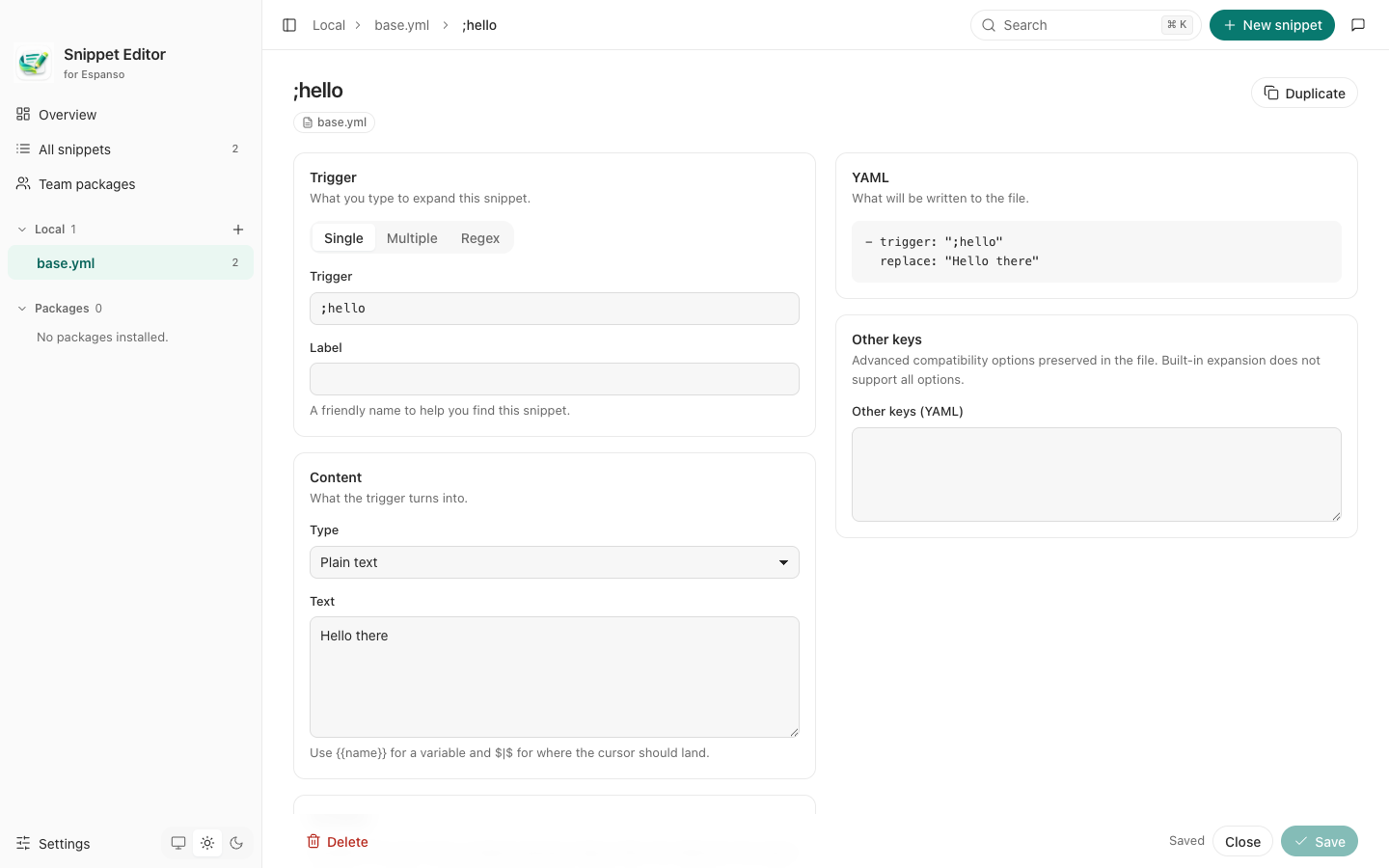
Editor: The trigger and replacement sit beside a YAML preview. Actual v0.2.2 app capture from 2 November 2026, using valid sample snippets.
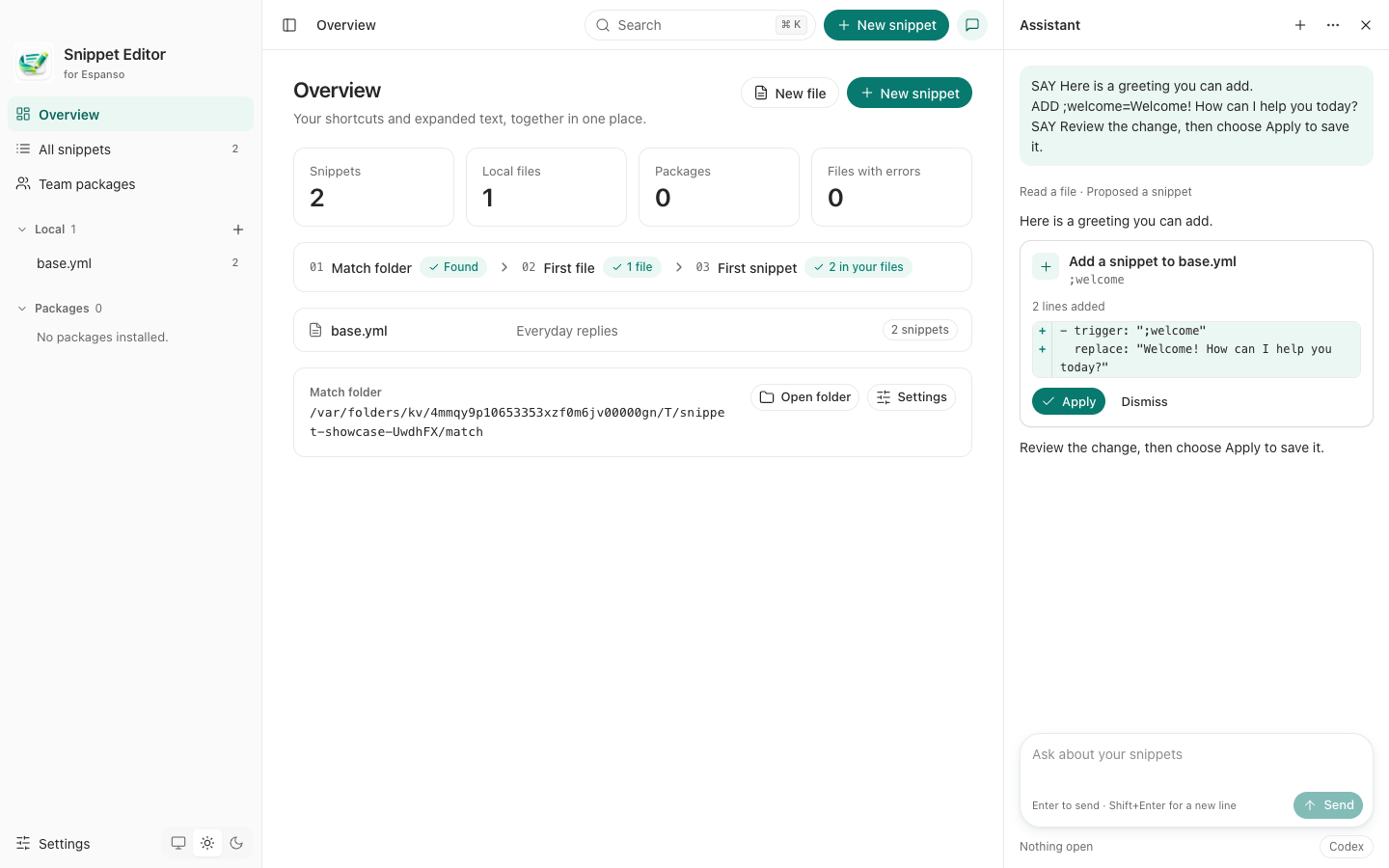
Suggested change: A proposal waits for Apply or Dismiss. Actual interface with synthetic test data and a simulated assistant response.
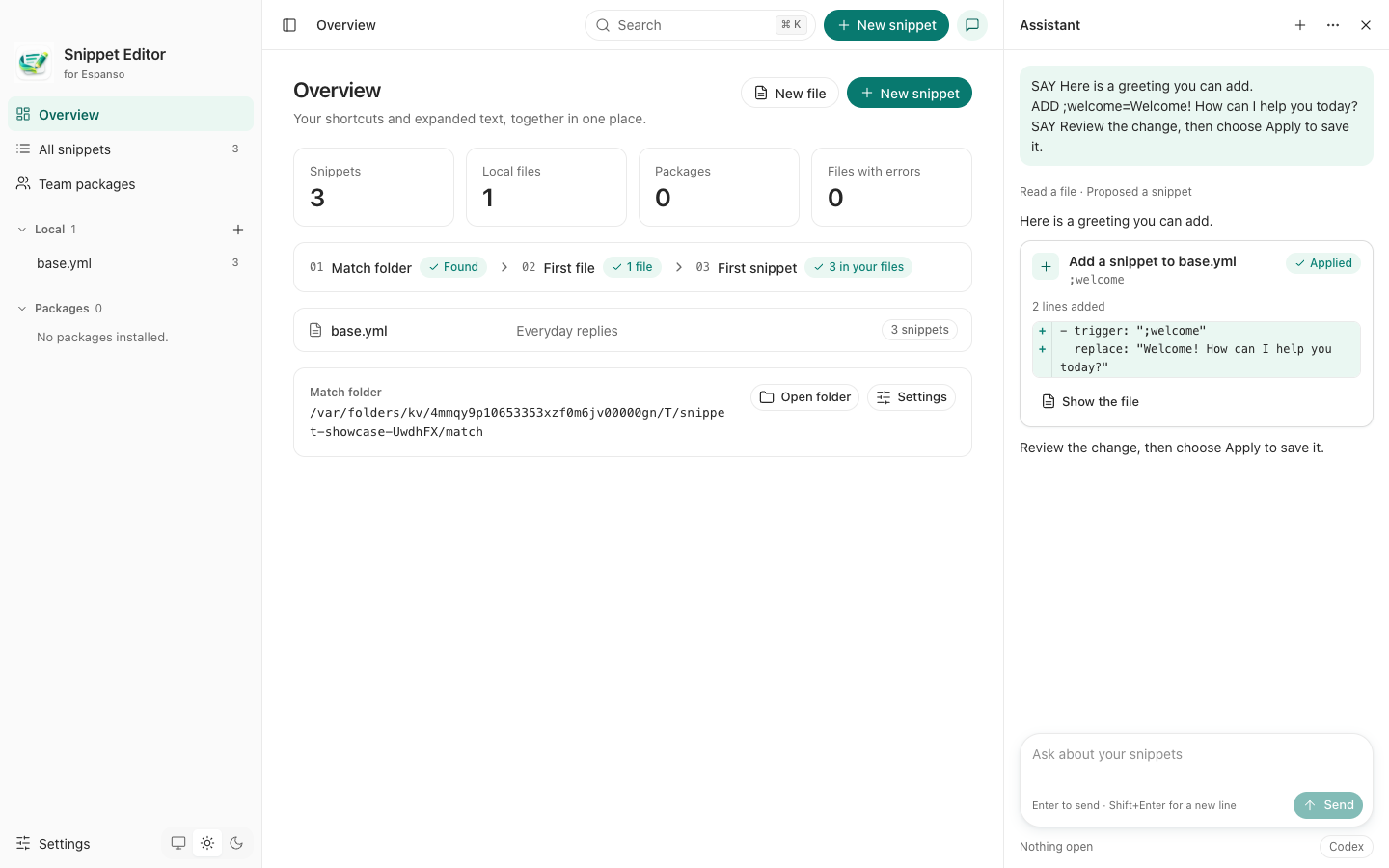
Applied change: The card keeps the change visible and offers a link to the file. Actual interface with valid sample snippets and a simulated assistant response.
What I want to test next
The next design exercise will compare proposal cards with changes shown inline. I want to examine how each approach handles context, readability, accidental acceptance, and several edits at once.
Those are questions for the next iteration. The comparison hasn’t been completed.
The screenshots above show the current app. A separate prototype for interrupted and conflicting edits is planned, and no participant study has been completed.
I built the app with AI assistance. The published account documents an Apple Silicon run. I haven’t established Windows or Linux runtime behavior, user adoption, or measured time savings.
Read the build account · Read the research plan · Read the design journal