Hanger Count turns a photo of returned hangers into a count you can check. It boxes every group on the photo in green, yellow or red, and each box can show its working.
Why count from a photo
I built it for the team at Asia Mannequin, which rents out mannequins, clothes racks and other displays in Singapore. Their hangers come back on rails and in boxes, tied in bundles of ten, though a bundle sometimes holds nine or eleven. I wanted staff to send a photo and get a count fast, with enough shown that they can decide whether to trust it.
Two looks at every photo
You can send up to ten photos. A vision model reads the whole photo first and finds each group of hangers. That usually gives a quick figure in about half a minute.
Then the app cuts a close-up of every group from the original photo, and the model marks a line between every two hooks. The checked figure usually follows two to three minutes after you send the photo.
Green, yellow and red
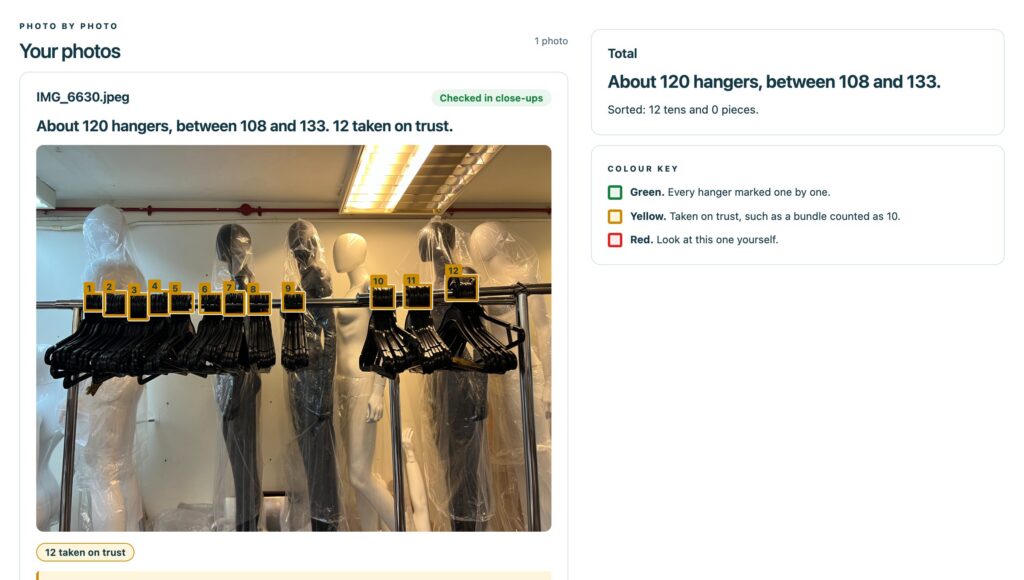
Green means every hook in the group was marked one by one, and nothing argues against the number. Yellow means the number is taken on trust: a bundle counts as ten, because the hooks at the back hide behind the ones in front. Red means look at this one yourself.
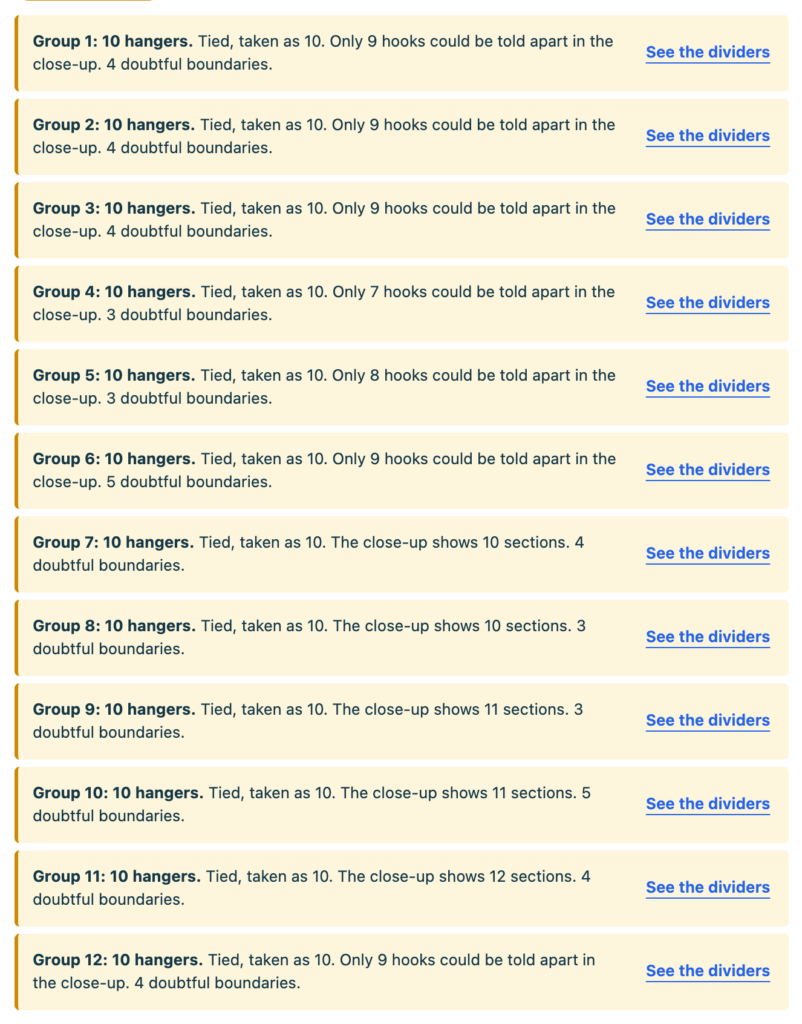
On this rail, all twelve bundles came out yellow. The page read it as about 120 hangers, between 108 and 133.
Every box shows its working
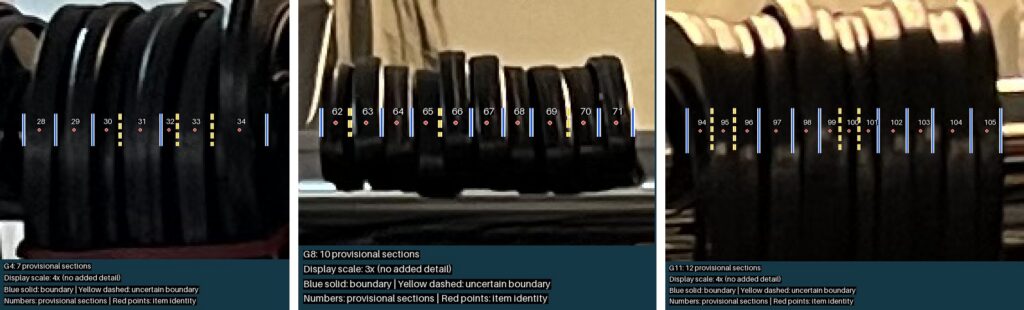
“See the dividers” opens the close-up for a group. Solid blue lines are boundaries the model saw. Dashed yellow lines are ones it was unsure of. Each numbered section should hold one hook, so anyone can check a group by eye.
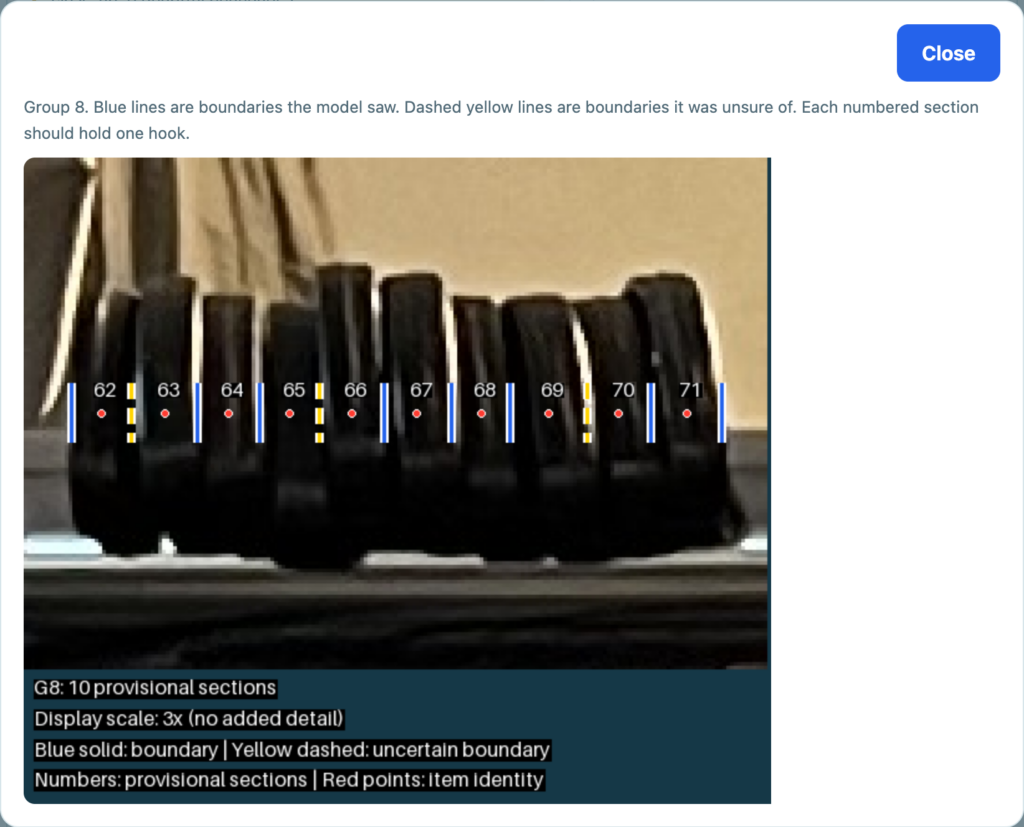
The app checks the marks before it draws them. It refuses a hook that sits outside its own section, sections too narrow to hold a hook, and marks that land on a neighbouring group.
The close-ups also show why bundles stay yellow. These three bundles showed 7, 10 and 12 sections, and each one counts as ten.
What it can’t tell you yet
Every figure is a reading by a model. I haven’t scored it against hand counts yet, and the page says so beside every result. It never changes stock or orders. A person decides what goes on record.
How it’s built
The app is Python with Pillow. The model calls run through an n8n workflow, and it’s all self-hosted with Docker. Photos are deleted 30 minutes after they’re read.