
Personal project, not an official WooCommerce extension.
Block Editor Product Descriptions for WooCommerce is a free plugin that enables the block editor (Gutenberg) for the product description and short description on the classic WooCommerce product screen. You get headings, lists, images, tables, buttons and columns in your product copy, and the rest of the screen stays where it is.
I wanted blocks in product descriptions without switching the whole product screen to the block editor. On WooCommerce 11.1.2, the classic screen still gives you the classic editor for both descriptions, so I built a small plugin that swaps only those two boxes.
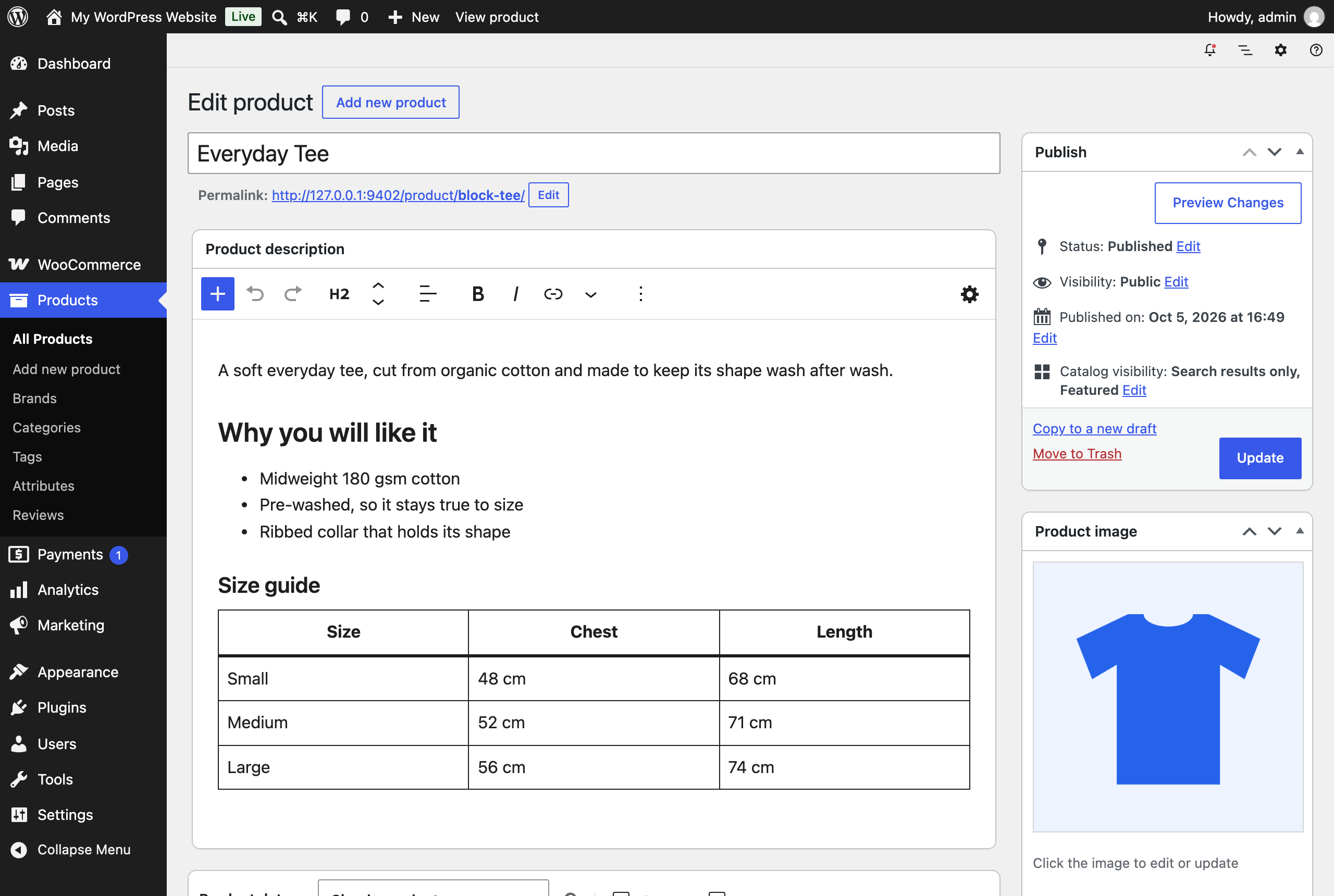
The product description as a block editor, on the classic product screen.
Only the two description boxes change
Each editor writes to the same form field WooCommerce already saves. Price, variations, the gallery, Featured and catalog visibility all save through the same Update button as before. Product data, the publish box and the meta boxes your extensions add are left alone.
Descriptions you already have stay as they are
Opening a product doesn’t change it. A description written in the classic editor shows up as blocks, and it’s saved as blocks only once you edit it. Save without touching the description and it goes back exactly as it was stored.
The short description, and Google
The short description sits beside the price and the add to cart button, so its editor keeps to text: Paragraph, Heading, List and Quote. On a block theme, the product page shows the short description through the Post Excerpt block, which trims it to plain text. The plugin keeps its formatting there.
If you use Google for WooCommerce, the plugin hands it every description as plain text, without HTML or block markup.
Limits worth knowing
The editors draw blocks with WordPress’s default block styles, so fonts and colours can differ from your storefront. Check the product page after a bigger change. Only the blocks that come with WordPress are offered, so blocks from other plugins won’t appear yet.
It needs WordPress 7.0, WooCommerce 11.1 and PHP 7.4, or later. I tested it on WordPress 7.1.2 with WooCommerce 11.1.2 and a block theme. I haven’t tested it in a browser with a classic theme, or on multisite.
Free and open source
The plugin is free under the GPL, and there is no paid version. To try it, download the ZIP from the latest release on GitHub and upload it under Plugins > Add Plugin > Upload Plugin. There are no settings.
Deactivate it and the classic editors come back. Your descriptions keep their block markup and still render. On a block theme, the short description on the product page goes back to plain text.