Test a read-only Coolify API request before connecting an assistant. Native MCP support, a working HTTPS endpoint, and each client’s authentication flow are separate checks. A successful API response does not prove a ChatGPT or Claude connection works.
Part 7: Test the Coolify API and check MCP support for ChatGPT or Claude
Video draft: Explanation and summarized results of the custom Python client API/MCP test. ChatGPT and Claude application connections remain unverified. Audio, captions and editing should receive a full review before publication.
Start with a narrow token
- Check the installed Coolify version and its current API/MCP documentation. Keep the dashboard on a valid HTTPS hostname for a hosted assistant.
- Enable API access using the supported settings for that version.
- Select the intended team before creating a short-lived token. Start with
readpermission only. - Store the token privately in a password manager or approved secret store. Never commit it, record it, or paste it into an assistant conversation.
Coolify: API authorization describes bearer-token authorization. A deploy action needs more authority than an inventory query. The filming environment used an ephemeral deployment token for the build exercise and revoked it afterwards; that does not establish a read-only MCP client setup.
Verify the API without putting the token in shell history
Use an API client’s protected bearer-auth field and send GET https://coolify.example.com/api/v1/team. Alternatively, run this small Python program locally. It prompts without echoing the token and sends it over HTTPS. Substitute your own valid HTTPS hostname at the prompt. It refuses redirects and deliberately prints only the returned HTTP status and whether the response is valid JSON:
import getpass, json
from urllib.request import Request, build_opener, HTTPRedirectHandler
from urllib.parse import urlparse
from urllib.error import HTTPError
base = input("Coolify HTTPS base URL: ").rstrip("/")
u = urlparse(base)
if u.scheme != "https" or not u.hostname or u.username or u.password or u.query or u.fragment or u.path not in ("", "/"):
    raise SystemExit("Use a plain HTTPS base URL without credentials, query or fragment")
class NoRedirect(HTTPRedirectHandler):
    def redirect_request(self, req, fp, code, msg, headers, newurl):
        return None
opener = build_opener(NoRedirect)
token = getpass.getpass("Read-only token: ")
req = Request(base + "/api/v1/team", headers={"Authorization": "Bearer " + token})
try:
    with opener.open(req, timeout=20) as response:
        result = json.load(response)
        print("HTTP", response.status, "valid JSON received")
except HTTPError as error:
    print("HTTP", error.code)
    raise SystemExit(1)
In the private client or local debugger, confirm the returned team is the intended team without adding its personal details to footage. HTTP 401 means authentication was rejected. Check expiry, revocation, the complete token, and the active team. A 403 can indicate an authorization or access-policy issue. Preserve certificate verification. Never disable TLS verification to make a client pass.
Native MCP is version-dependent
Current Coolify: MCP setup describes a Streamable HTTP endpoint at https://coolify.example.com/mcp, bearer authentication, instance API/MCP switches in Settings → Advanced, and team MCP in Team → General. Check that your running version actually has these features. Documentation for a newer release is not proof the image you installed supports them.
After connecting a supported client, begin with get_current_team and get_infrastructure_overview. Compare the results with the dashboard. Inspect read-only scopes instead of asking the assistant to deploy or delete a resource as a permission test.
What the tutorial verified
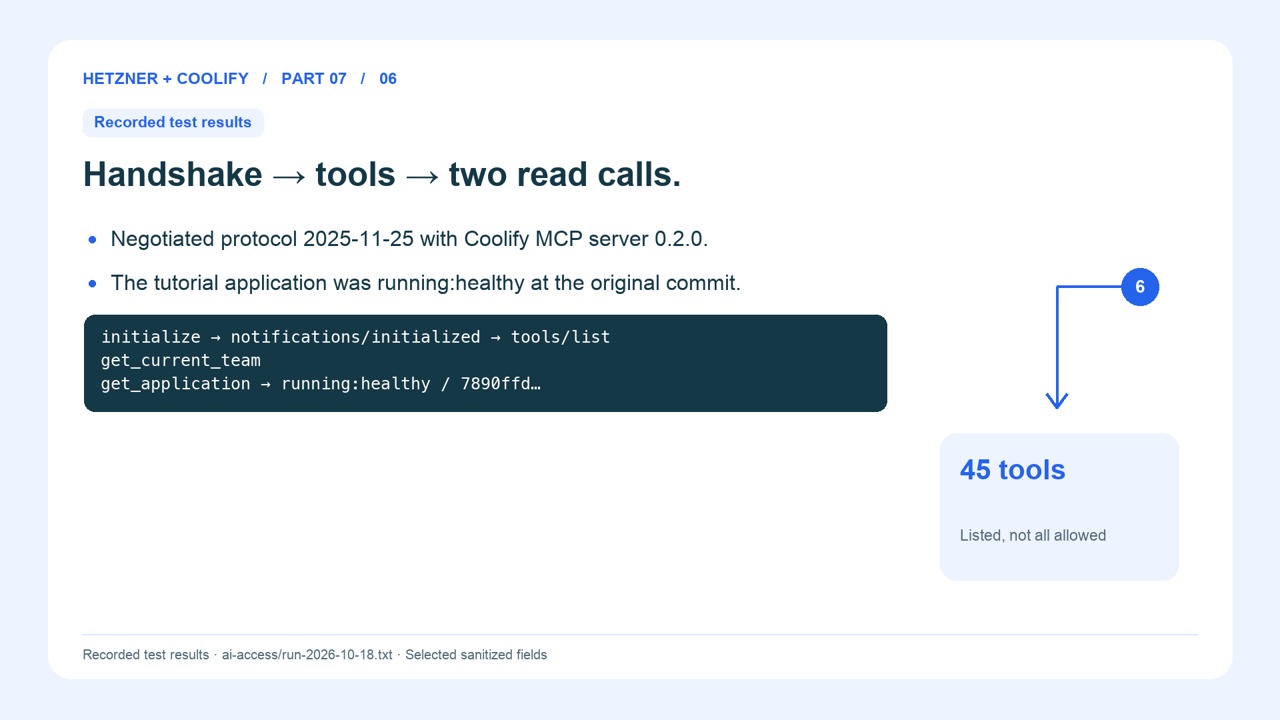
On 18 October 2026, the installed Coolify 4.4.6 instance passed real API and native MCP requests from a custom Python client through the private SSH tunnel. The test used a temporary token with only read permission, negotiated MCP protocol 2025-11-25, listed 45 tools, read the current team, and read the healthy tutorial application. It invoked no write or deployment tool. The tested API path was /api/v1/teams/current, a deprecated alias of the canonical /api/v1/team used above.
The token was revoked and an authenticated API retry returned HTTP 401. The original MCP enable flags were restored. A plain GET request to /mcp returned HTTP 405 for that unsupported request form; it is not a useful health test. Use an MCP-compatible client’s actual initialization, discovery, and read-tool calls.
This proves the installed native endpoint works with that custom client. It does not prove a ChatGPT or Claude application connection, and a hosted connector cannot reach the laptop’s 127.0.0.1 tunnel. That requires a separately reachable HTTPS endpoint and supported client authentication.
Claude Code route
The Coolify: Claude Code documents this command shape:
claude mcp add --transport http coolify https://coolify.example.com/mcp --header "Authorization: Bearer TOKEN"TOKEN is an inert placeholder. Configure the real header privately through the client’s supported secure configuration process; do not save the literal credential in a recorded shell command or shared history. This configures Claude Code. Claude web and Desktop require their own supported connector route and account capabilities.
ChatGPT route and compatibility limit
The OpenAI: Connect from ChatGPT currently describes adding a custom MCP server through the available Plugins flow, entering the endpoint, and configuring authentication. Availability and labels can vary by account. The client must support an authentication method your Coolify endpoint accepts. Direct Coolify bearer authentication has not been verified in the tutorial’s ChatGPT client. If the form cannot supply it, stop that branch and record the gap. Do not expose an unauthenticated endpoint as a workaround.
Revoke and confirm
Remove the temporary token in Coolify and repeat the API request. Confirm it is rejected, then remove the client’s saved tutorial credential. A removed client entry alone does not prove the token is revoked. Keep any future write-enabled integration as a separate deliberate setup with its own approval and tests.
Return to the Hetzner and Coolify series
When the checks in this lesson pass, continue with part 8.