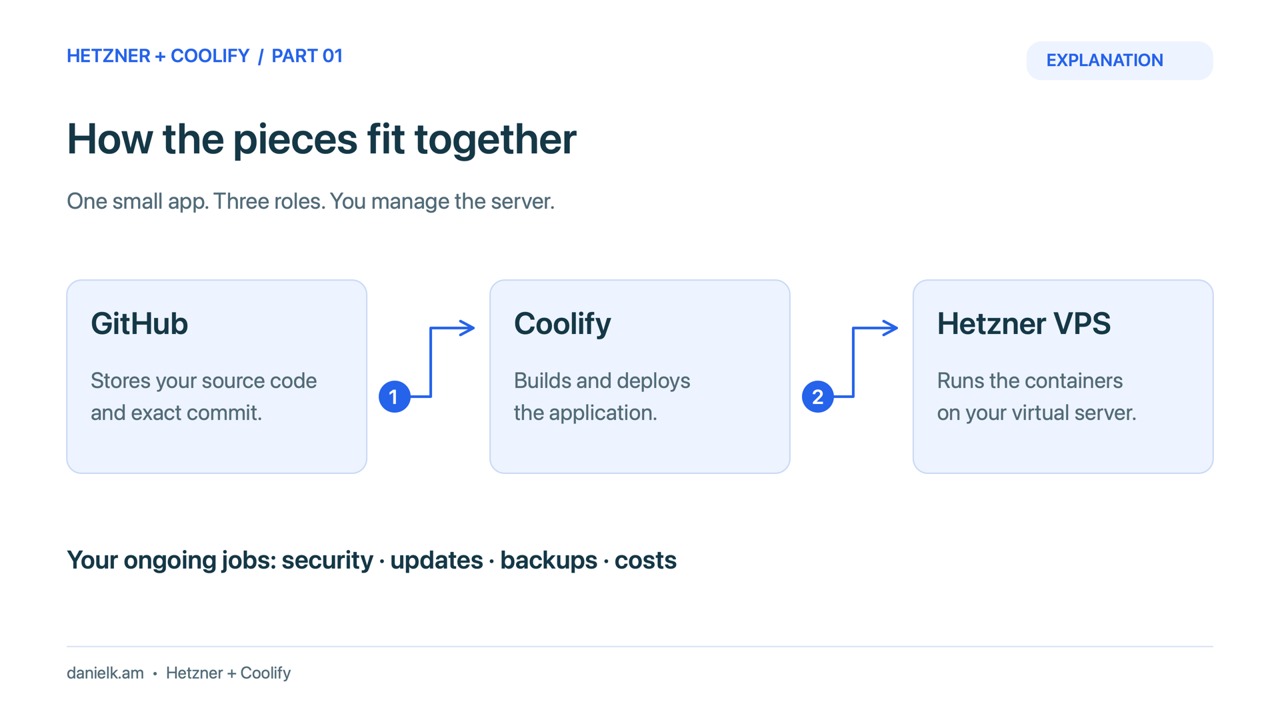
Build a small self-hosted app one step at a time: create a Hetzner project, secure your laptop connection, connect a private GitHub repository, and deploy with Coolify. Start with a disposable app so you can practise updates and recovery before storing real customer data.
Video drafts: All eight lessons include narrated videos with captions. Parts 1–4 use explanatory diagrams. Parts 5–6 include recorded Coolify source, deployment, update and rollback sequences. Parts 7–8 explain the verified API/MCP and static-restore results. Review the audio and full edits before publication.
What you will build
Hetzner supplies the virtual machine. Coolify manages the application build and deployment on that machine. GitHub stores the source. You still own server access, software updates, backups, and the bill. This series uses one small nginx website with a visible version badge and a health endpoint, so you can check the result without a database or paid application service.
The recorded environment uses a CAX21 in Helsinki with 4 cores, 8GB RAM, and an 80GB disk. It is ARM64. Choose your own location and plan from current availability, and check that your application images support that architecture. Coolify documents a lower minimum of 2 cores, 2GB RAM, and 10GB free disk. Our 8GB choice leaves more room for the application and builds. It is not a capacity guarantee. Coolify: Start with self-hosted.
Choose your next task
- Create your Hetzner account, project, and budget: complete account checks privately and understand when billing stops.
- Create an SSH key on Mac or Windows: protect the private key and upload only the public half.
- Choose an 8GB server and Coolify image: compare ARM and x86, create the server, and verify bootstrap health.
- Open Coolify through an SSH tunnel, then plan HTTPS: claim the administrator account without sending a password over public HTTP.
- Connect a private GitHub repository using a read-only deploy key: grant one repository access without sharing your personal GitHub token.
- Deploy Docker Compose, update it, and roll back: build a minimal app, verify the running revision, and return to a known commit.
- Test the Coolify API and assess MCP client support: begin with read-only access and keep ChatGPT and Claude compatibility checks separate.
- Back up the demo, test restoration, and clean up billing: distinguish a static restore from database or whole-server recovery.
What was tested
On 18 October 2026, the tutorial environment completed a real private GitHub-to-Coolify build, a manually selected update from Version 1.0 to Version 1.1, and a pinned rollback to the original commit. The app was checked through private SSH forwarding. A separate same-server archive-and-restore exercise restored the static demo files and configuration. Read-only API and native MCP calls also passed from a custom Python client through the private tunnel, with token revocation checked afterwards. Those results do not establish public HTTPS delivery, a ChatGPT or Claude application connection, an off-server backup, or a full-VPS restore.
Before you begin
- Use a laptop with Terminal or PowerShell, an approved Hetzner account, and a GitHub account. Keep identity, payment, and recovery details private.
- Set aside a domain only if you want the public HTTPS route. You can inspect the dashboard privately through an SSH tunnel first.
- Review current charges before creating a server. Powered-off servers and retained resources can still incur charges. Hetzner: Billing FAQ.
The sample GitHub repository used for filming is private. Part 6 includes the core files so you can create your own copy. No affiliate relationship or commission is implied by the documentation links.
Choose the lesson that matches the next task you need to complete.